
Smallpdf
数字阅读
阅读工具
开发者:
EfficientToolsCenter
应用介绍: Scan documents to PDF formatScan, edit, convert, compress, and share PDFs with your Android device. Smallpdf is the first and only PDF software users love. That’s why we’ve brought a suite of handy PDF tools straight to your Android device—with the Smallpdf Scanner App. Now you can instantly capture high-quality scans, edit PDFs, convert and compress files, and share your documents with a single tap. Whether you need to convert a work contract to PDF format for emailing, send paperwork online, or archive documents digitally, Smallpdf Scanner is the companion app for all your PDF needs.With the Smallpdf Scanner App, You Can:Create pixel-perfect, 200+ DPI PDF scans from your cameraConvert PDF to Word and Word to PDF Convert PDF to JPG and JPG to PDF Scan several documents to a multi-page PDFRemove distortions and bordersSharpen and resize contentUse basic compression to reduce file size by 40% Use strong compression to reduce file size by 75%View, Enhance, or Edit PDFsSearch for and access stored PDF scans any timeView PDFs, JPGs, and Word documentsMerge multiple scanned pages into a single PDFRearrange, rotate, crop, or remove pages with easeSearch and copy content with built-in optical character recognition (OCR)Activate read mode for easier reading Optimize the size, color, or page layout of converted scansRename files as neededFile Storage & IntegrationsSync scans to the online Smallpdf file storage serviceEmail or send PDF scans to your other apps, e.g., WhatsApp, Viber, or GmailHow to Create a Scanned PDF Using SmallpdfOpen the Smallpdf Scanner App.Take a photo of your document or import an existing file or picture from your phone or tablet.Rename, rotate, crop, or adjust the colors of the file.Click ‘Save’ to create and save a new PDF scan.Seamlessly access the PDF on your other devices.Continue to review, modify, or share the PDF.Quick, Efficient, & Free PDF ScanningSmallpdf Scanner App is entirely free. It’s also the smartest way to digitize all your physical paperwork using only your mobile device. Your PDFs will also be imported to our website where you can use over 20 tools to convert your PDFs to other file types (Word, PowerPoint, Excel, or JPG), compress, e-Sign, and even annotate your PDF documents.Work on the GoDo you work remotely or frequently travel for work? With Smallpdf Scanner, you can immediately create and organize PDF scans using your Android device whenever you please. Smallpdf Scanner App also acts as a free PDF reader, allowing you to analyze the content of your paper document when you’re out of office or on the go.About SmallpdfSmallpdf is the first and only PDF software you’ll love. With over 500 million users across 200 countries, we’re on a mission to streamline digital document paperwork for business teams and individuals with our suite of easy-to-use PDF tools.将文件扫描为PDF格式扫描,编辑,转换,压缩和与您的Android设备共享PDF。Smallpdf是第一个也是唯一一个用户喜欢的PDF软件。因此,我们使用Smallpdf Scanner App将一系列便捷的PDF工具直接带到您的Android设备上。现在,您只需单击一下,就可以立即捕获高质量的扫描,编辑PDF,转换和压缩文件以及共享文档。无论您需要将工作合同转换为PDF格式以通过电子邮件发送电子邮件,在线发送文书工作还是以数字方式存档文档,Smallpdf Scanner都是可满足您所有PDF需求的配套应用。使用Smallpdf Scanner App,您可以:通过相机创建像素完美的200多种DPI PDF扫描将PDF转换成Word并将Word转换成PDF将PDF转换为JPG并将JPG转换为PDF将多个文档扫描到多页PDF消除变形和边界锐化内容并调整大小使用基本压缩将文件大小减少40%使用强压缩将文件大小减少75%查看,增强或编辑PDF随时搜索和访问存储的PDF扫描查看PDF,JPG和Word文档将多个扫描页面合并为一个PDF轻松重新排列,旋转,裁剪或删除页面使用内置的光学字符识别(OCR)搜索和复制内容激活阅读模式以方便阅读优化转换后扫描的大小,颜色或页面布局根据需要重命名文件文件存储与集成同步扫描到在线Smallpdf文件存储服务通过电子邮件将PDF扫描文件发送或发送到其他应用程序,例如WhatsApp,Viber或Gmail如何使用Smallpdf创建扫描的PDF打开Smallpdf Scanner App。为您的文档拍照或从手机或平板电脑导入现有文件或图片。重命名,旋转,裁剪或调整文件的颜色。点击“保存”以创建并保存新的PDF扫描。在其他设备上无缝访问PDF。继续查看,修改或共享PDF。快速,高效和免费的PDF扫描Smallpdf Scanner App是完全免费的。这也是仅使用移动设备将所有物理文书数字化的最明智的方法。您的PDF还将导入到我们的网站,您可以在这里使用20多种工具将PDF转换为其他文件类型(Word,PowerPoint,Excel或JPG),压缩,电子签名,甚至为PDF文档添加注释。随时随地工作您是远程工作还是经常出差工作?使用Smallpdf Scanner,您可以随时使用Android设备立即创建和组织PDF扫描。 Smallpdf Scanner App还可作为免费的PDF阅读器,使您在外出或旅途中都可以分析纸质文档的内容。关于SmallpdfSmallpdf是您最喜欢的第一个也是唯一的PDF软件。我们的使命是借助我们易于使用的PDF工具套件,为业务团队和个人简化数字文档文书工作。
覆盖渗透率:
0.000%
应用大小:
272.0M
应用上线时间:
2025.04.07
数据概览
排名分析
用户生命周期
用户覆盖
新增用户
活跃用户
用户留存
用户质量分析
启动次数
使用时长
用户构成
用户特征分析
用户画像
用户偏好
设备分析
线下行为
运营数据分析
重合分析
来源去向
应用截图


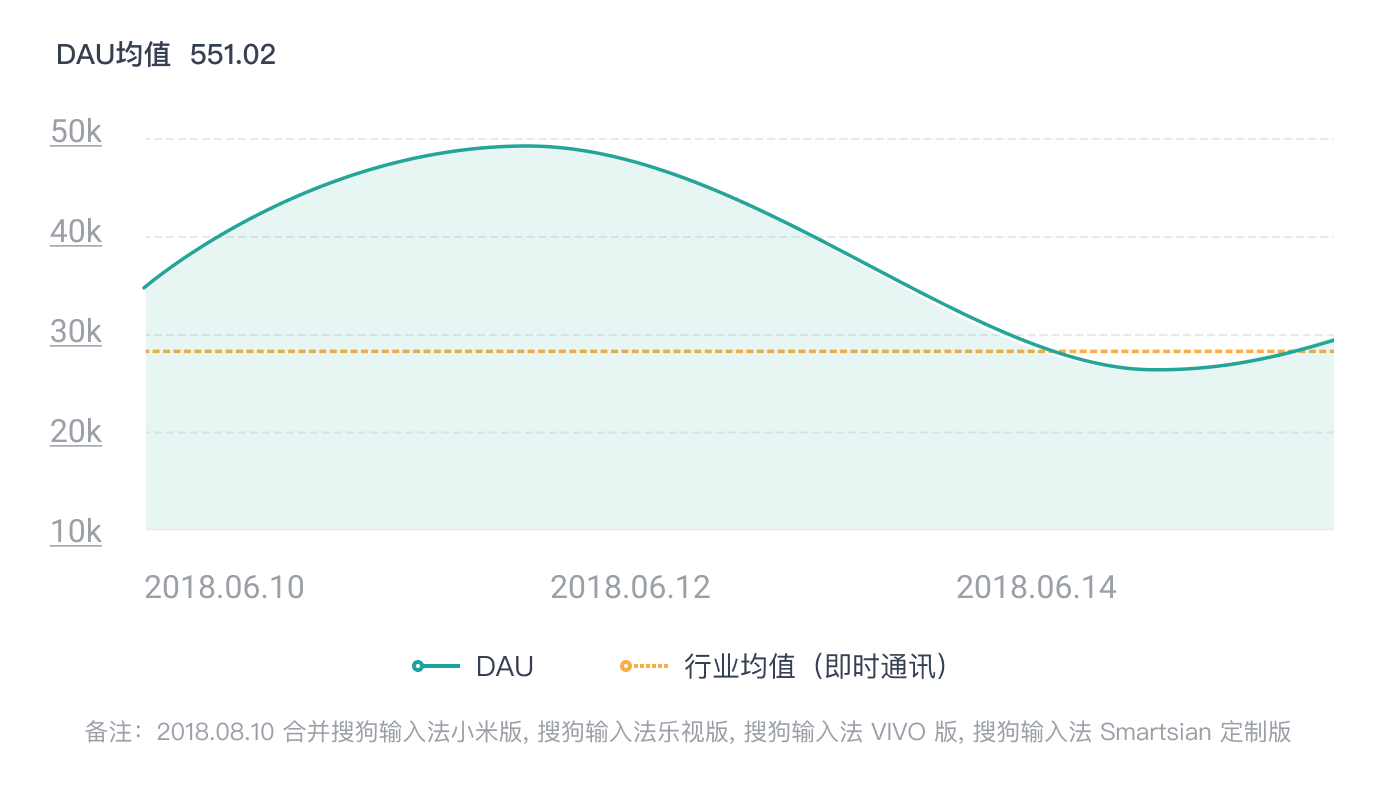
日活跃用户
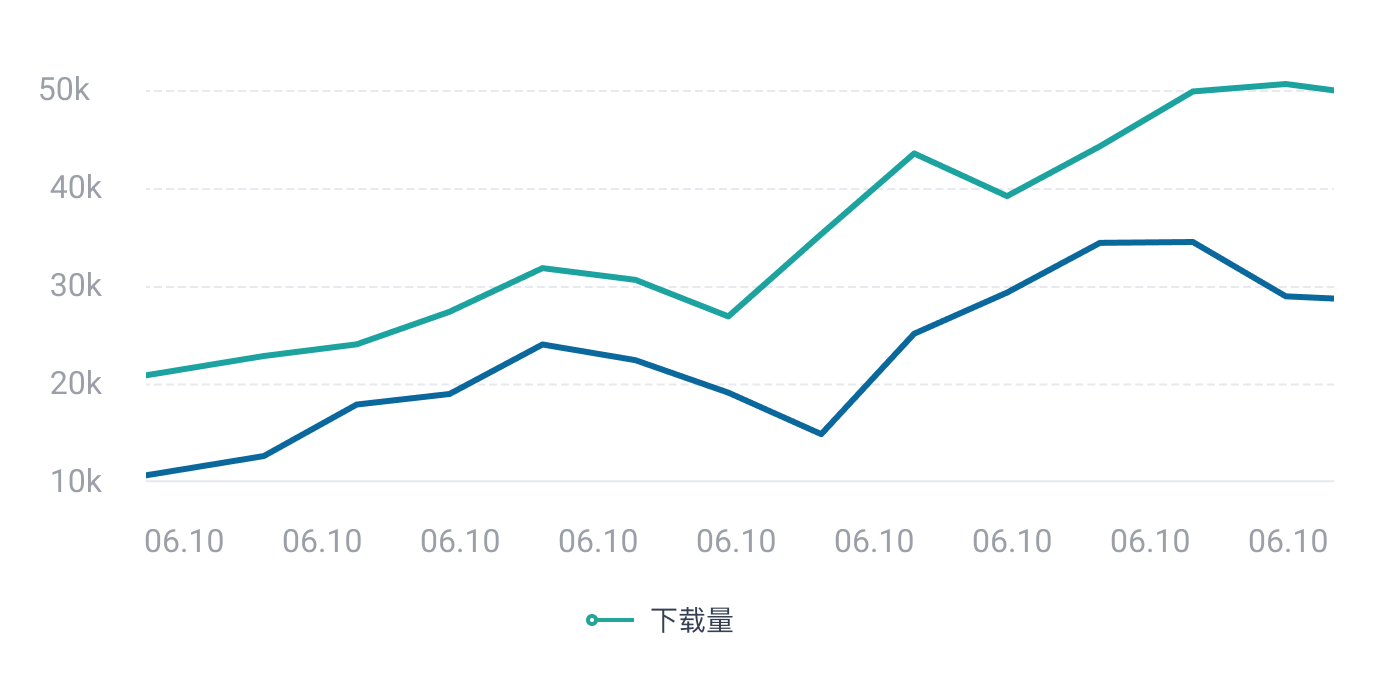
 立即联系,体验更多数据
日新增用户
 立即联系,体验更多数据
人均使用时长
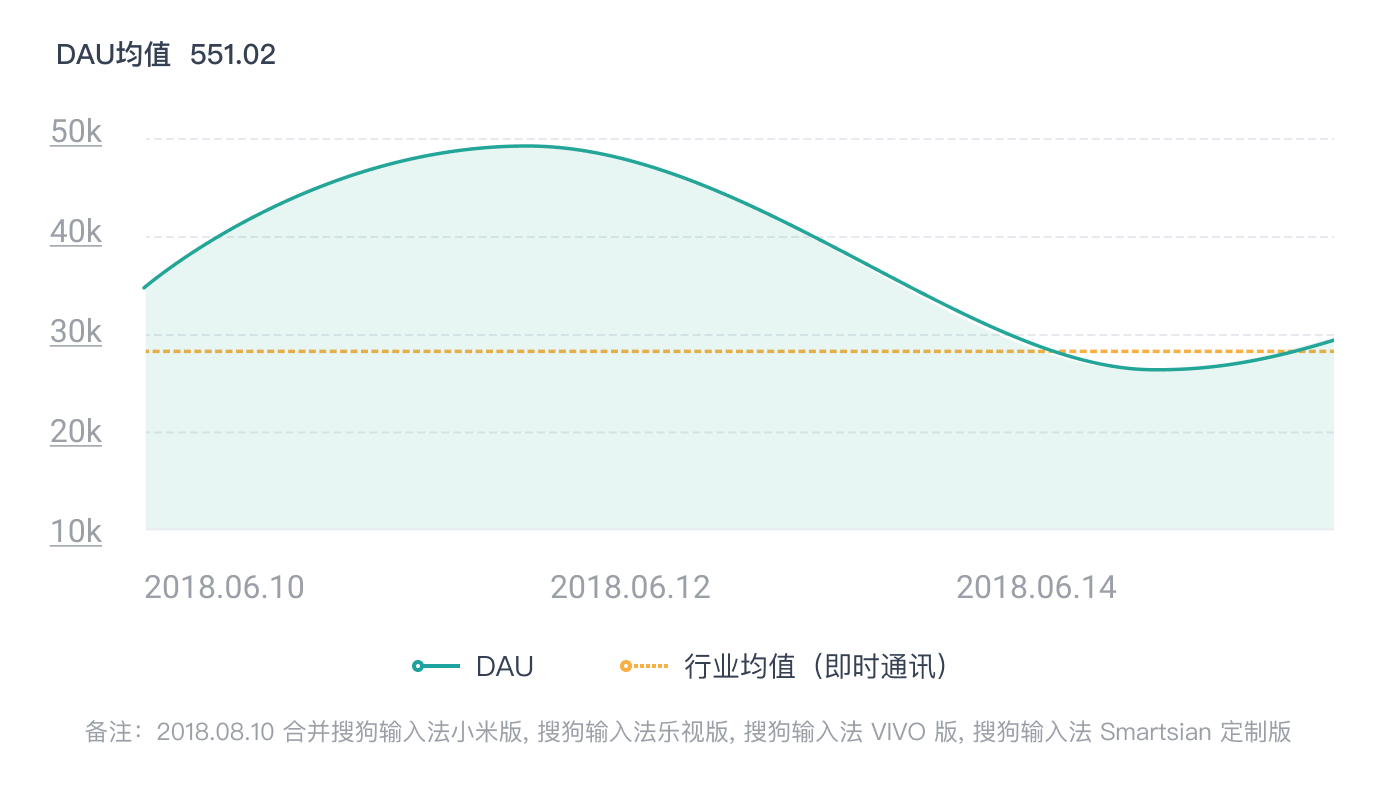 立即联系,体验更多数据
性别分布/年龄分布
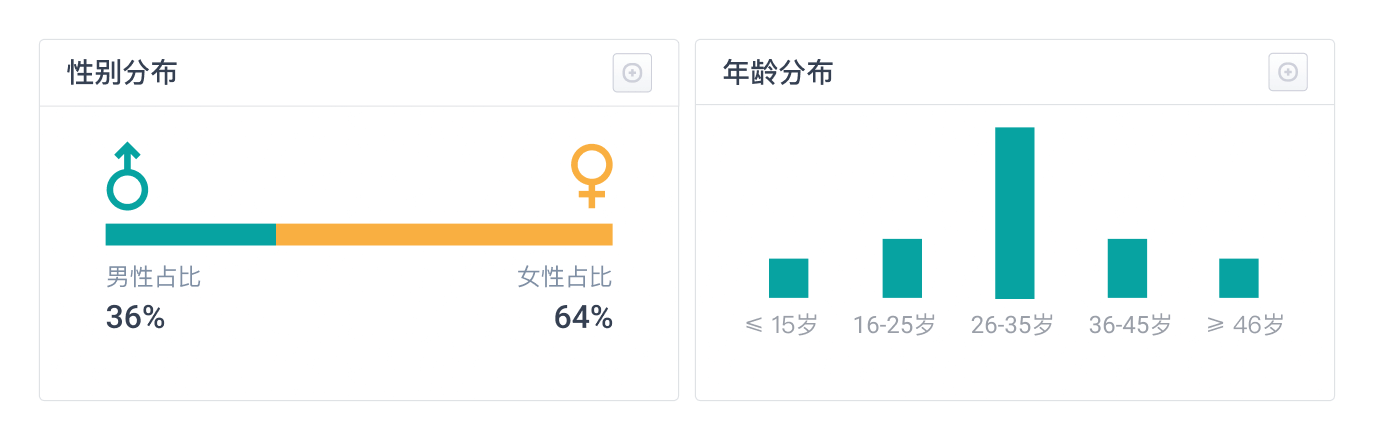 立即联系,体验更多数据
地域分布
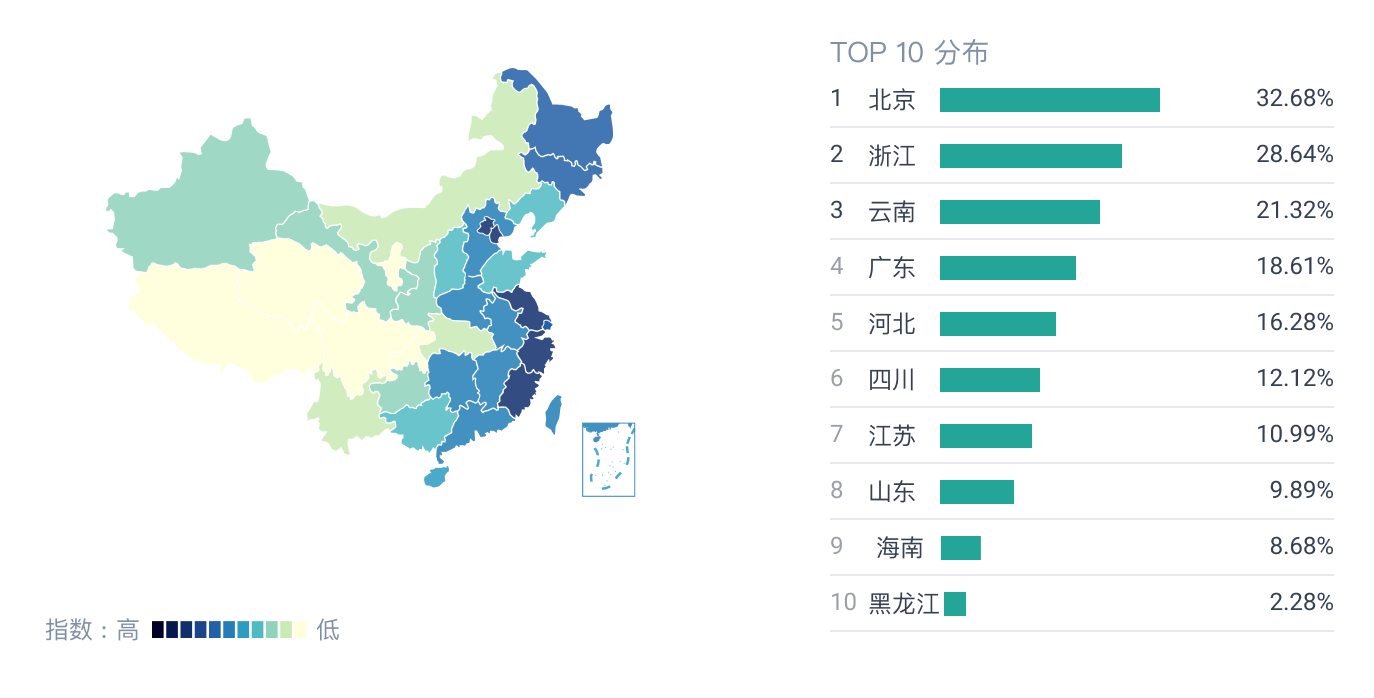 立即联系,体验更多数据